I’ve built AD tier models by hand more than once, and every time it’s the same grind. OUs, role groups, access groups, nesting them correctly, delegation, logon restriction GPOs, LAPS, silos. Hundreds of objects, all of them slightly tedious, all of them easy to get subtly wrong.
I went looking for something to take that off my hands. There are decent projects out there, but nothing that felt simple enough to just pick up and run. Either it was huge, or it wanted a specific setup, or I’d have spent longer understanding it than doing the work myself.
So I wrote my own. It’s called ADTierKit.
What it is
One PowerShell script and one JSON file. Copy both onto a DC, run the script, answer some questions.
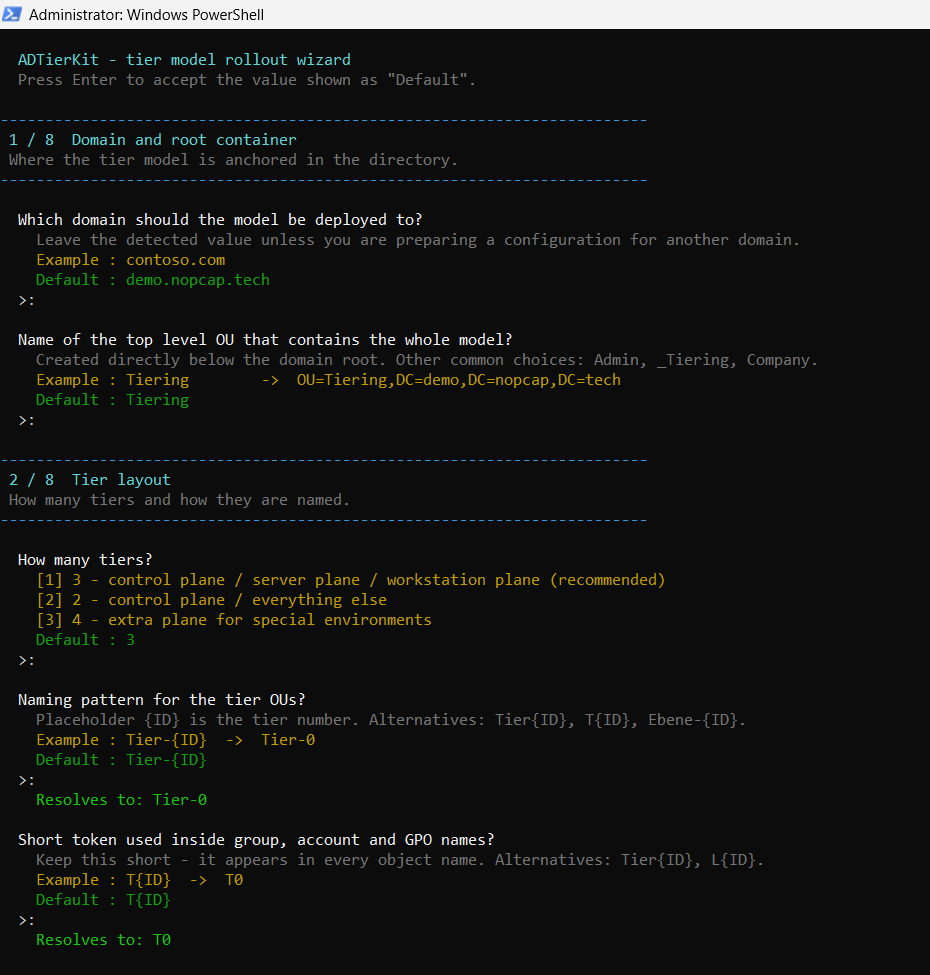
The wizard asks about your naming convention and resolves the patterns as you type, so you see real object names before you commit to anything:
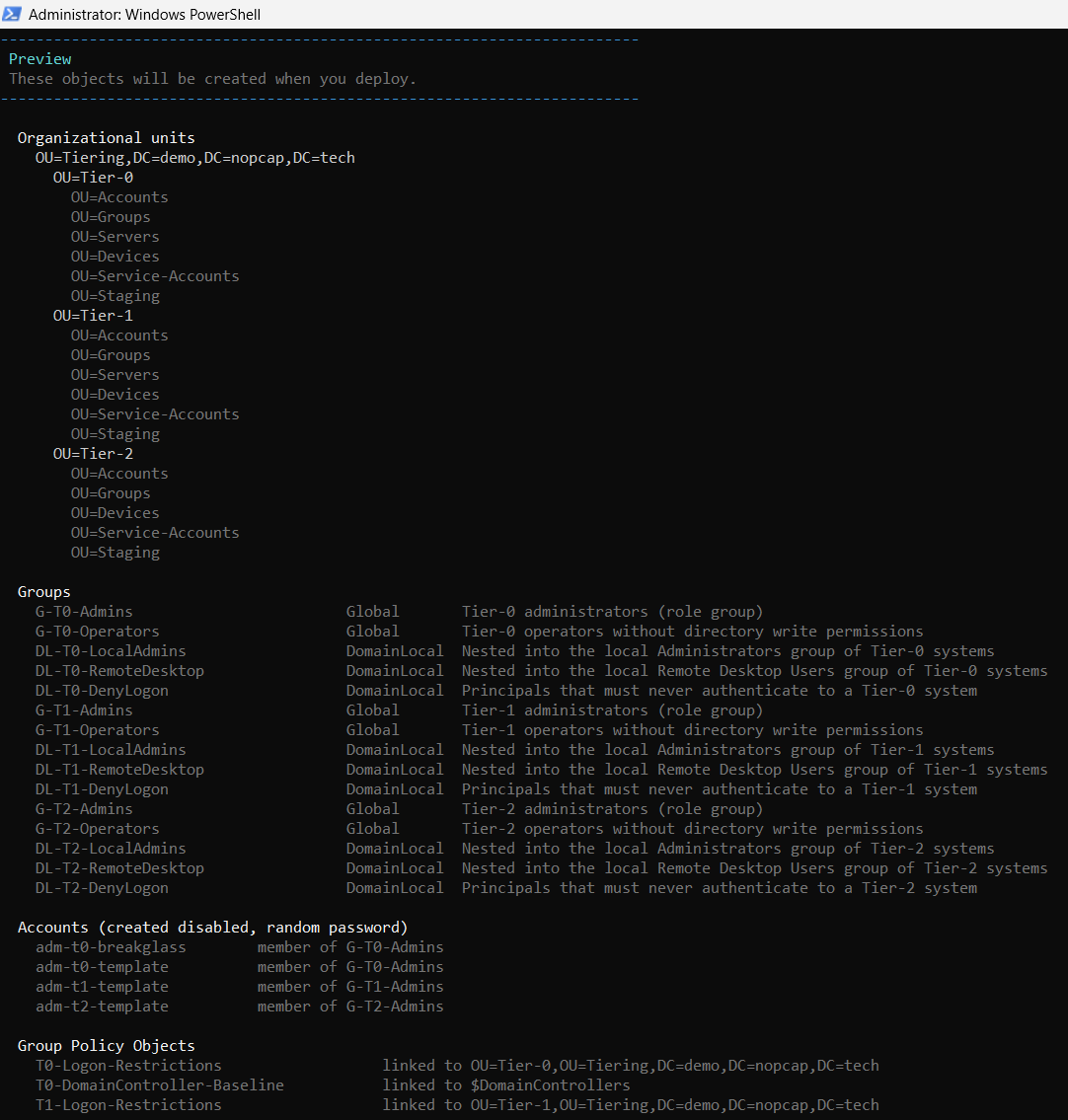
Then it shows you the whole thing before it touches the directory. Every OU, every group with a note on what it’s for, the accounts, the GPOs.
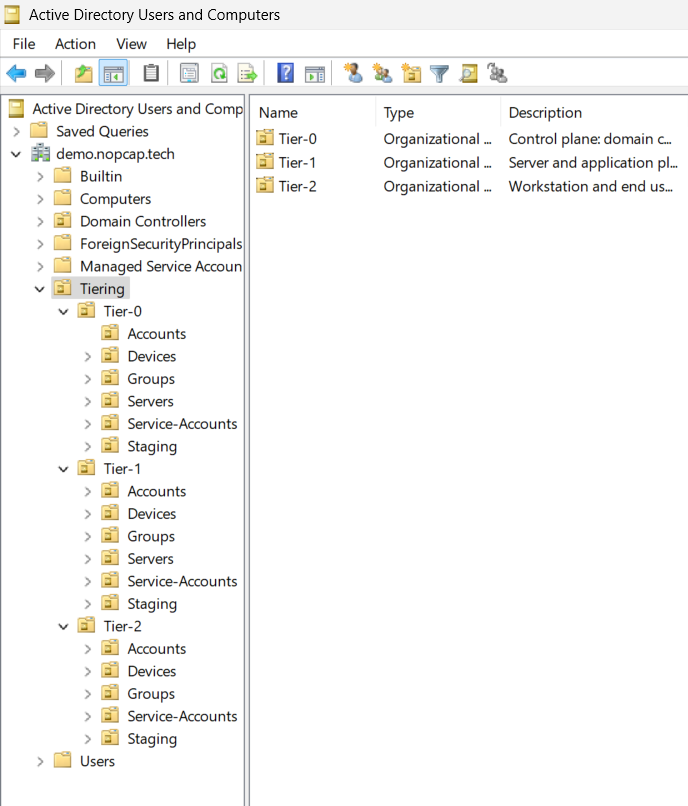
Say yes and you get the scaffolding: the OU tree, role and access groups per tier nested AGDLP style, delegation so each tier admin manages their own branch, logon restriction GPOs, Windows LAPS with a separate decryption principal per tier, Kerberos authentication policy silos, SACL auditing, plus a few domain-wide bits like ms-DS-MachineAccountQuota set to zero.
Three things I care about
It plans first. -Mode Deploy shows you what it would do and changes nothing. You need -Apply before a single object gets written. A mistyped command line can’t touch your directory.
It’s idempotent. Run it again against a domain that’s already set up:
|
|
Every stage recognises its own work, so the report only ever shows you what actually changed.
It keeps things current. This is the part I actually wrote it for. Deployment is a one-off, membership isn’t. Move a server into a tier OU and it doesn’t join the authentication silo. Nothing in AD tells you. -Mode Sync re-runs just the membership bits, and -Mode InstallTask puts that on a daily schedule.
There’s also -Mode Audit, which is read-only and grades what it finds by severity, and spits out a self-contained HTML report you can email to someone.
One warning worth repeating
Logon rights are tattooed. Once a restriction has applied, unlinking the GPO does not give the right back. The entry sits in the machine’s local security database and survives reboots. You fix it with secedit, locally, which means you need to already be on the box.
I found that out the way you’d expect, on a lab DC, late in the evening.
So now the tool checks before it writes. If a deny group would take away logon rights from the account running the deployment, or from the built-in Administrator, on a machine you’d need in order to undo it, the GPO stage doesn’t run and it tells you exactly which policy and which group. There’s a second script for recovery too, in case someone gets there anyway.
Where it stands
Lab-tested end to end against a Server 2025 domain, all modes, and the tier separation checked in both directions with real accounts. Not production-tested, no automated test suite, no second pair of eyes on the code yet. Treat it accordingly and take a snapshot first.
It’s also not a hardening suite. No AppLocker, no BitLocker baselines. It builds the tier boundary and keeps it correct, and that’s the whole scope.
The full documentation lives in the repo — every stage, the configuration reference, the rollout order I’d recommend, and what to do if it does lock you out:
MIT licensed. If you use it, I’d like to hear how it went.
